
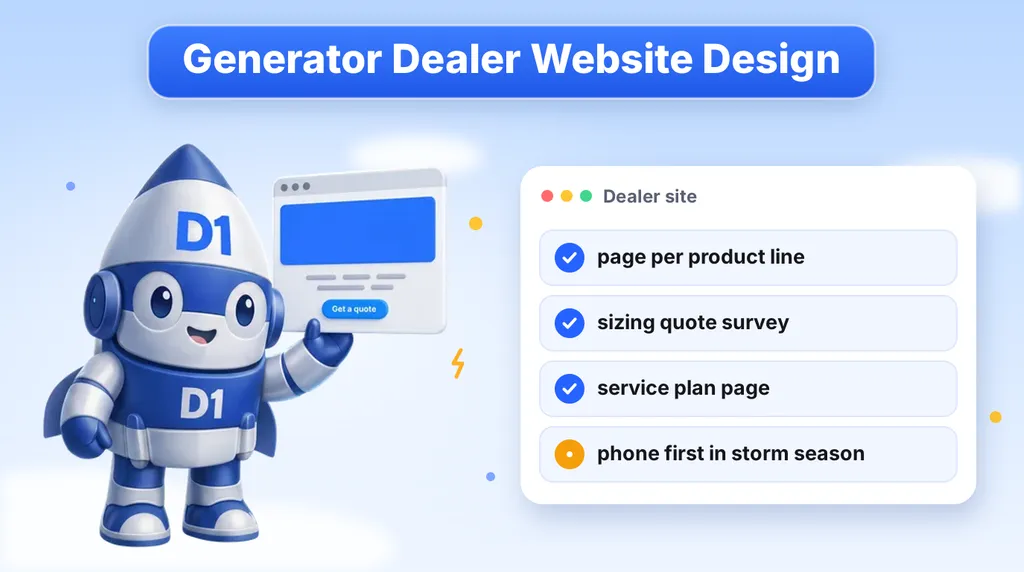
A generator site has a harder job than most home service sites. Some visitors are calmly pricing a whole-home standby unit for next spring. Others are looking at a forecast, or at a dark house, and want a person on the phone now. One generic "Generator Sales and Service" page cannot serve both. This guide covers how generator dealers and installers can build a site that sells to each kind of buyer: pages per product line, a sizing survey, a service plan page, local pages and a storm-season call path.
It is written for dealers, installers and electrical contractors who sell or service standby power. If you are an electrician who also installs generators, read it alongside our electrician website checklist, which covers the trust basics every electrical site needs.
Two Buyers, Two Moods
Generator shoppers arrive in one of two states, and your site has to recognize both.
- Planned buyers: a homeowner or business owner researching standby power ahead of time. They compare product types, read about fuel options, ask what installation involves and often get two or three quotes. They will read a long page if it answers their questions.
- Urgent buyers: a storm is in the forecast, the power is out, or the old unit just failed. They want a phone number, an honest answer on availability and a clear next step. They will leave a page that makes them scroll.
The planned buyer is where most of your best margin sits, because they can choose a proper install and a service plan. The urgent buyer is where the phone rings loudest. A good site gives the planned buyer depth and the urgent buyer speed, and it does both without making either one dig for what they need.
| Question | Planned buyer | Urgent buyer |
|---|---|---|
| What do they want first? | Sizing, options, what installation involves | A phone number and a real answer on timing |
| Which page do they land on? | A product line or sizing page | The home page or a call page |
| Best conversion | A sizing survey that becomes a quote | A tap-to-call button |
| What follows up | Quote, site visit, proposal | A call back in minutes |
A Page for Each Product Line and Size
The most common mistake on generator sites is a single "Our Generators" page with a grid of photos. A buyer searching for a standby unit for a whole house is not the same person as a buyer who wants a portable unit for camping or a small outage, and neither is the same as a business owner who needs commercial backup. Give each its own page.
- Whole-home standby: what it powers, how it connects to the home, fuel options, what a typical installation includes and what the homeowner needs to decide before a quote.
- Portable generators: who they suit, what they can and cannot run, and the safety basics around placement and fuel. Be honest that they are a different product from standby.
- Commercial and light commercial: backup for offices, shops, medical practices and other businesses where an outage costs money. Speak to the facility manager or owner, not the homeowner.
- Service and repair: a separate page for owners who already have a unit and need maintenance or a repair visit.
Within each page, answer the questions a buyer would otherwise call to ask. What does it run? What does installation involve? Does it need a permit or inspection in your area? What is the next step? Where your pricing depends on the home, say so plainly and explain what drives the quote, rather than leaving the topic out. Do not invent price ranges or output ratings you cannot support, and quote only what you actually offer.
One rule on brands. Do not name a generator manufacturer on your site as a partner, authorized dealer or preferred brand unless you actually hold that authorization. Buyers check, and manufacturers do enforce their brand use. If you are authorized, say so and link to proof. If you are not, describe the product by type and let your own installation work be the draw.
The Sizing Survey: Ask the Questions That Make a Quote
A sizing survey is the single most useful conversion tool on a generator site. It works like a short quote form, but it asks the questions that decide the job, so you arrive at the first call already knowing what you are pricing. It also gives the visitor a reason to start, because most buyers do not know what size they need and want help finding out.
Keep it to a few steps, one topic per screen, and put the phone number beside it for anyone who would rather talk. A good order:
- Property type: house, small business, larger commercial site.
- Size of the building: a rough square footage range is enough.
- Fuel on site: natural gas, propane, or not sure.
- What must stay powered: the whole property, or specific circuits such as heating and cooling, refrigeration, a well pump, medical equipment or a home office.
- Timeline: as soon as possible, before storm season, or just researching.
- Contact details: name, phone, email and a short note, asked last.
Asking for contact details last follows a simple idea: people who have already invested a minute answering questions are more willing to hand over a phone number. The timeline question is your triage. It tells your team which leads are urgent, and which are planning for later and belong in a slower follow-up.
The answers also help with qualification. Someone who needs backup for a well pump and a medical device is a different conversation from someone pricing a nice-to-have. Your estimator can see that before the first call. For the general logic of building quote flows that qualify as they collect, see our guide to the home improvement quote funnel.
A Service and Maintenance Plan Page
A generator sale ends in one install, but a service plan can keep the customer for years. A standby unit is the kind of equipment that sits unused until the day it matters, so owners worry about whether it will start. A maintenance page speaks to that worry directly.
Build a page that explains, in plain language, what a plan includes and who it is for. Cover the points an owner would ask:
- What a visit involves and what you check.
- How often visits happen, stated as your own schedule, not a claim about manufacturer requirements you have not confirmed.
- Whether plan members get priority scheduling after a storm, if that is true for your business.
- How to book, and what to do if the unit will not start.
- Whether you service units you did not install.
Link to the plan from every product page and from the confirmation step of your sizing survey, because the best moment to sell maintenance is when the buyer is already thinking about the unit. Use a short form on this page as well, so existing owners can request service without calling during business hours.
If you do not offer a formal plan, say what you do offer. A clear "annual service visit" with your actual terms beats a vague promise of ongoing care.
Local Service Area Pages
Generator work is local. Buyers want an installer who can reach their address and respond if something goes wrong, so they search by town and county. A page for each area you serve, with something real on it, helps you show up for those searches and reassures the visitor that you work nearby.
Avoid the trap of cloning one page and swapping the town name. Search engines treat that as thin content, and visitors can tell. Each area page should say something specific: the towns and neighborhoods covered, any local permitting or inspection details you have actually handled, the outage patterns local homeowners worry about, and photos of your own work in that area where you have them.
The same principles apply to any local service business, and we cover them in our post on local SEO for service businesses. If you are an electrical contractor, our local SEO guide for electricians adds the Google Business Profile and review steps that help you appear in the map results.
The Storm-Season Call Path
When a storm is coming, traffic jumps and patience drops. Plan for it before the season, not during it.
- Phone first: a large tap-to-call button in the header on every page, visible as the visitor scrolls on a phone. Make it a real phone link, not an image.
- A storm banner you can switch on: a short notice at the top of the site that you can turn on and off, saying how to reach you and whether you are taking new installation requests. Keep it accurate. If you cannot install before the storm, say so, and offer a place on the schedule.
- Honest availability: a visitor who calls after a forecast wants to know if you can help. If lead times are long, tell them on the page, and use the sizing survey to hold their place in line.
- After-hours handling: decide what happens to calls and forms when nobody is in the office. An after-hours message, an automatic text reply or a clear emergency number keeps the lead from going to a competitor.
- A fast page: a slow page on a weak signal in a storm loses the visit. Keep images compressed and the page light.
Whatever the season, speed of response still decides who gets the job. A buyer sending three inquiries usually signs with whoever calls back first. Our speed-to-lead guide explains why, and the same logic applies to a storm surge.
Trust Signals Generator Buyers Look For
Installing a generator involves gas lines, electrical connections and permits, so buyers want proof that you do it properly. Put these in plain sight rather than on a buried About page:
- Your contractor and electrical license numbers, where your state requires them.
- Insurance, stated accurately.
- Photos of real installations by your own crew, not stock images of someone else's work.
- Real reviews from real customers, with permission, and a link to your Google reviews.
- A clear explanation of permits and inspections and who handles them.
- Only the warranty terms you actually offer, in your own words.
Do not post testimonials you cannot back up, and do not borrow another company's reviews. A short, honest page beats a long one with claims you would struggle to defend.
How the Site Connects to Follow-Up
A site that collects sizing surveys and calls is only half the system. Each submission should land in one place, tagged with its source and urgency, and trigger a quick reply to the buyer. For a planned buyer, that might be a text and email confirming the request and saying when to expect a call. For an urgent one, it should alert someone to call right away.
The quote itself follows the same path: site visit, proposal, follow-up, decision. Many generator buyers take weeks to decide, so a reminder cadence that stays polite and useful matters more than a single aggressive call. A CRM with stages for new, contacted, site visit booked, proposal sent and won handles this, and it tells you which pages and campaigns produce jobs.
What We Build for Electrical and Home Service Businesses
We have no generator dealer in our portfolio, so we will not pretend otherwise. What we do build is websites for electrical and home service businesses, and the structure described above is the same one we use for those sites: trust first, one page per service, a short form that qualifies, and a phone number that is easy to tap. Our electrician website design service puts the license, insurance and real work where visitors see them, then makes it simple to call or request a quote. Our smart websites and funnels service covers the sizing survey, the local pages and the follow-up behind them.
If you are still deciding how to build the site, our comparison of custom websites and WordPress explains the trade-offs in plain terms.
Generator Dealer Website Checklist
- Separate pages for whole-home standby, portable, commercial and service and repair.
- No manufacturer names as partners unless you hold the authorization and can show it.
- A sizing survey that asks property type, building size, fuel, what must stay powered and timeline, with contact details last.
- A service plan page that states your actual terms, linked from every product page.
- Service area pages with specific local detail, not copies with the town name swapped.
- A tap-to-call button on every page and a storm banner you can switch on and off.
- License numbers, insurance and photos of your own installations in plain sight.
- A plan for after-hours calls and forms, so no lead waits until morning.
- Every inquiry logged in a CRM with its source, urgency and next step.
- A fast mobile page, tested on a weak signal.
Work through the list one item at a time and fix the pages your buyers see first. Then book a call with us if you want a second opinion or a build.
Want a Generator Site That Gets the Call?
We design and build websites for electrical and home service businesses, with the pages, forms and follow-up described in this guide. Book a call and we will review your current site or plan a new one with you.
Or call us directly: (888) 330-1434.
D1TechCreative builds websites, paid traffic, CRM and AI automation systems for service businesses and real estate investors across the United States. Based in Fort Lauderdale, FL.