
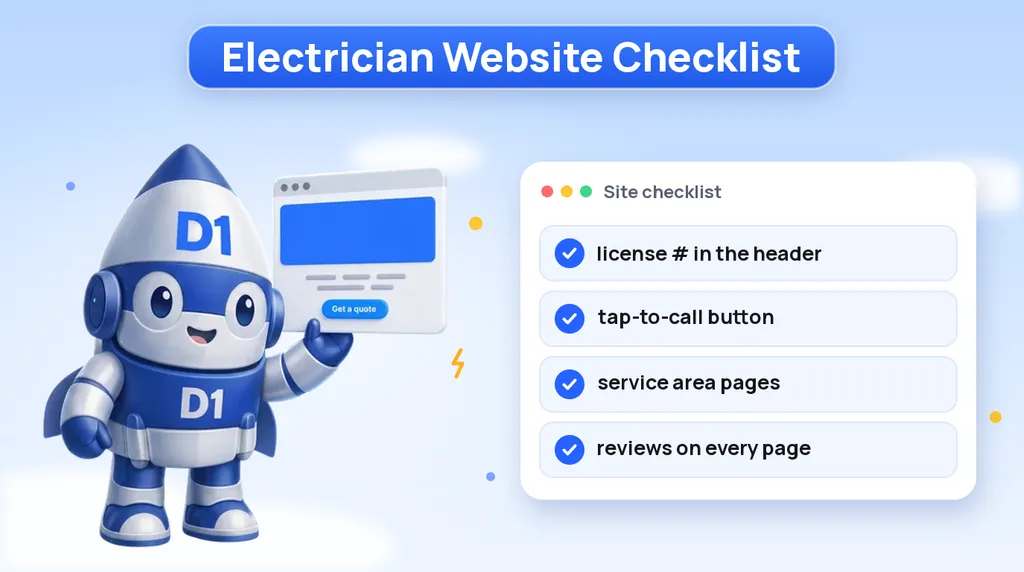
Most electrician websites look fine and still don't get the phone to ring. The homepage has a nice photo of a panel, a paragraph about quality workmanship and a contact page with a long form. What it is missing is the handful of details a homeowner checks in the first few seconds: are you licensed, do you do the job I need, do you work in my town, and can I call you right now.
This post is a checklist for electrical contractors who want their site to produce calls, not just exist. Go through it section by section with your own site open on your phone. If you would rather have someone build it for you, our electrician website design service covers everything here, but the list works whoever does the work.
Why Electrician Websites Lose Calls
People rarely browse for an electrician. They search when something is wrong or when they have a project with a deadline: the breaker keeps tripping, the inspector flagged the panel, the new EV arrives next week, the generator needs to be in before storm season. That means your visitor is in a hurry and is usually comparing you with two or three other contractors in the same search results.
In that situation, a site loses calls for a few predictable reasons:
- Trust is hidden. The license number and insurance are on the About page, or nowhere.
- The phone number is hard to use. It is in the footer, or it is an image that can't be tapped.
- The service isn't there. The visitor wants a panel upgrade and sees one "Residential Services" page with a bulleted list.
- The area isn't clear. The visitor can't tell whether you serve their town without calling to ask.
- The page is slow. On a phone with a weak signal, the visitor gives up before the page loads.
Every item in the checklist below fixes one of those problems.
The Header: License, Insurance and a Phone Number You Can Tap
The header is the only part of your site that every visitor sees. Treat it as your most valuable space.
- License number: if your state or city licenses electrical contractors, put your license number in the header or directly under it. Homeowners and property managers look for it, and it is one of the fastest ways to separate you from unlicensed handymen in the same results.
- Insured line: a short "Licensed and Insured" next to the license number. Keep it accurate to your actual coverage.
- Tap-to-call button: a real phone link, not an image, that stays visible as the visitor scrolls on mobile. On a phone, this button is often your main conversion.
- One primary action: "Call Now" or "Get a Quote", not five competing buttons.
If you offer emergency work, the header is also where that belongs. More on that next.
Emergency Service: Say It Clearly or Leave It Out
Emergency calls are some of the most valuable calls an electrician gets, and the visitor's question is simple: will someone pick up now? If you take after-hours calls, say so plainly near the top of the page, with the hours you actually cover and the number to call. "24/7 Emergency Electrician" only works if someone really answers at 2 a.m.
If you don't offer emergency service, don't hint at it. A homeowner with a burning smell who calls and reaches voicemail will not come back for the next project, and may leave a review about it. It is better to state your hours and point emergencies to the right place.
Either way, decide what happens when you miss a call. A missed call during a job is normal for a small shop, but a missed call with no response is a lost job. An automatic text back ("Sorry we missed you, we're on a job. What do you need help with?") keeps the conversation alive until you can call. Our speed-to-lead guide explains why the first contractor to respond usually wins the work.
A Page for Every Service You Want More Of
One "Services" page with a list of everything you do is easy to build and weak at getting calls. Each service is a different search and a different customer, so each one deserves its own page. Start with the jobs you most want to book:
| Service page | What the visitor wants to know | What to put on the page |
|---|---|---|
| Panel upgrades | Do I need one, will it pass inspection, how long is the power off | Signs a panel needs replacing, how you handle permits and inspection, photos of your own panel work |
| EV charger installation | Can my panel handle it, which charger, can you do it before the car arrives | Load check explanation, charger types you install, garage and driveway photos from real jobs |
| Generators | Standby or portable, transfer switch, who services it | Brands you install, what the install involves, maintenance options |
| Rewiring | Is my old wiring a problem, how disruptive is it | Older wiring types you replace, how you protect walls and floors, what a typical job looks like |
| Lighting, outlets and repairs | Can you handle a small job, how fast | Common repairs, whether you have a minimum, how to book |
| Commercial work | Do you do businesses, can you work after hours | Types of buildings, scheduling around operating hours, who to contact |
Each page needs its own headline that names the service and your area, a short explanation in plain language, a few photos of that exact kind of job, a short FAQ, and the same call button and quote form you use everywhere else. Only build pages for work you actually do. A thin page for a service you rarely take does more harm than good.
Service Area Pages That Aren't Copy and Paste
Homeowners search with a place in mind: "electrician near me", "panel upgrade [city]", "EV charger installer [county]". A single line in your footer that lists twelve towns won't rank for those searches. A page for each main town or county you serve can.
The catch is that service area pages only work if they are genuinely different from each other. Swapping the city name in the same three paragraphs gives search engines a reason to ignore all of them. Give each area page something real:
- The services you are most often called for in that area
- Photos of jobs you completed there, with the town named in the caption
- Reviews from customers in that town, if you have them
- Notes that matter locally, such as older housing stock, typical panel types or the local permit office
- Links to the matching service pages
Start with the towns where you most want work and grow from there. Our guide to local SEO for service businesses covers how area pages, your Google Business Profile and citations work together, and our SEO service is how we build and track that for clients.
Reviews and Photos of Real Jobs
Electrical work is invisible once the walls are closed, so homeowners lean on two things to judge you: what other customers say and what your work looks like.
Reviews. Show a few recent reviews on every page, not only on a testimonials page nobody clicks. Pull them from your Google Business Profile so they match what visitors see in Maps. Use the customer's first name and town when they agree to it, and never write or edit reviews yourself. The harder part is getting reviews in the first place: a simple request by text after each finished job, with a direct link to your review page, does most of the work. Our reviews and reputation service sets that request up so it goes out automatically.
Photos. Use photos of your own jobs, your own truck and your own crew. Clean panel work, tidy wire runs, a finished EV charger on a garage wall: these say more about your standards than any paragraph. Stock photos of a smiling model holding a screwdriver do the opposite. Name the photo files and write alt text that describes the job and the town, which helps both accessibility and search.
A Short Quote Form and Fast Mobile Pages
Many visitors would rather type than call, especially during work hours. Give them a form that is quick to finish on a phone:
- Name, phone number, town or zip code, and the type of job (a short dropdown)
- One optional box for details
- An optional photo upload, which helps you quote small jobs without a visit
Every extra field is another reason to quit. You can ask for the rest when you call back. Make sure the form sends straight to your phone or CRM, not to an inbox that gets checked once a day.
Speed matters just as much. Most of your visitors will be on a phone, often outside or in a basement with poor signal. Compress your photos, avoid heavy sliders and autoplay video in the header, and test your pages on a phone over mobile data, not on office Wi-Fi. If the page takes long enough that the visitor notices the wait, it is too slow. If your current site is hard to speed up, our comparison of custom websites and WordPress explains where the weight usually comes from.
Tie the Site to Your Google Business Profile
For local trades, your Google Business Profile often gets more views than your website. The two should support each other:
- Use the exact same business name, address and phone number on both.
- Set the profile's website link to your homepage, or to a matching location page if you have several locations.
- List the same services on the profile that you have pages for on the site.
- Post job photos to the profile regularly, using the same real photos as the site.
- Reply to every review on the profile, good or bad, in a calm and specific way.
When the profile and the site tell the same story, visitors who jump between Maps and your website don't get confused, and search engines get a consistent picture of where you work and what you do.
Your Electrician Website Checklist
Copy this list and check your own site against it, on a phone:
- License number and "Licensed and Insured" in or just below the header.
- A tap-to-call button that stays visible on mobile.
- Emergency hours stated clearly, or not mentioned at all.
- An automatic text back for missed calls.
- A separate page for each main service: panel upgrades, EV chargers, generators, rewiring and any others you want more of.
- A real, distinct page for each main town or county you serve.
- Recent reviews on every page, plus an automatic review request after each job.
- Photos of your own jobs, truck and crew, with descriptive alt text.
- A quote form with four or five fields that sends straight to your phone or CRM.
- Pages that load quickly on a phone over mobile data.
- Name, address, phone and services matching your Google Business Profile.
Fix the header, the call button and the missed-call text first, since those affect every visitor. Then add service pages and area pages one at a time, starting with the work you want most.
Want a Second Pair of Eyes on Your Electrician Website?
We review electrical contractor websites against this checklist, then build or fix the pages, forms and local search setup that turn visitors into calls. Book a call and we will walk through your current site with you.
Or call us directly: (888) 330-1434.
D1TechCreative builds websites, paid traffic, CRM and AI automation systems for service businesses and real estate investors across the United States. Based in Fort Lauderdale, FL.