
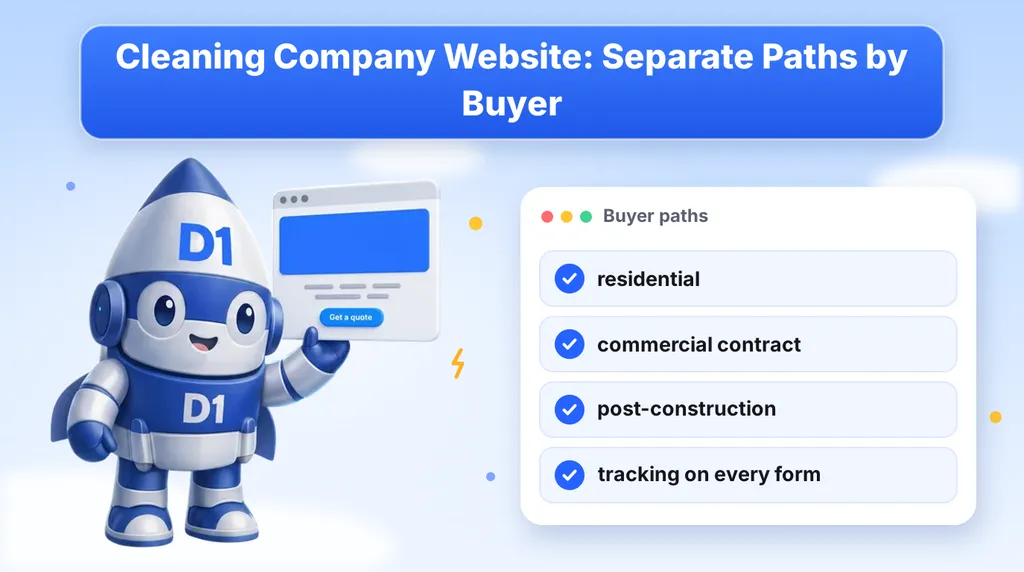
Most cleaning company websites treat every visitor the same. One home page, one "Get a Free Quote" button, one form. That works until you notice who is actually using it: a homeowner who wants a deep clean before guests arrive, a facilities manager comparing bids for a nightly contract, and a general contractor who needs a building cleaned before a final inspection. They want different things, they ask different questions, and they decide in different ways.
This guide is for owners of cleaning companies that serve more than one kind of buyer. It covers how to give each buyer their own path through the site, which questions each quote form should ask, how to prove you are the right company for each, and how to track every call and form so you know what is working. If you want the broader local search picture first, start with our local SEO guide for service businesses.
Why One Quote Form Fails Two Kinds of Buyers
A residential customer is buying a single result: a clean home, usually soon. They care about price, trust in the person walking through their door, and whether you can come this week. A commercial buyer is buying a service they will depend on for months or years. They care about insurance, consistency, staffing, supervision and what happens when a cleaner calls in sick.
When both land on the same generic form, one of them gets the wrong experience. The homeowner is asked for square footage and frequency in a way that feels like a procurement process. The facilities manager is asked for a name and phone number and nothing else, so you get a vague lead and a long back and forth before you can even price the job.
The fix is not a bigger form. It is a site that lets each buyer say who they are in the first click, then shows them a page built for that situation.
Start With the Buyer Types You Actually Serve
Before you build anything, list the buyer types that bring you real revenue. Be honest about it. If you do not do school cleaning, do not build a school page. Most cleaning companies end up with some mix of these:
| Buyer | What they are really asking | What the page must show |
|---|---|---|
| Residential | Can I trust you in my home, and can you come soon? | Clear service types, a simple quote path, your service area, photos or descriptions of the work, reviews |
| Commercial contract | Can you cover our building every week without me chasing you? | Insurance, scheduling approach, supervision, supplies, how you handle missed visits, a walkthrough request |
| Post-construction | Can you get the site ready for inspection or handover on a deadline? | Phases of cleanup, timing, working with a general contractor, a fast bid request |
| Specialty (kitchens, schools, medical, move-out) | Do you understand the rules for my kind of space? | Specific procedures, the standards you work to, relevant experience described honestly |
The names of the buyers will differ for your company, but the pattern holds. Each type gets its own page, its own headline and its own form.
A Real Example of Routing Buyers From One Page
We built exactly this kind of structure for Pittsburgh Cleaning Solutions. The site serves commercial, residential, kitchen, school and post-construction cleaning: five very different buyers routed from one page, with GA4 on every conversion. The home page does not try to speak to all of them at once. It gives each visitor a clear way to say which one they are, then sends them on.
That approach is the useful part, and you do not need a large site to copy it. A visitor should be able to find their path in a few seconds without reading a paragraph of company history.
Build the Home Page as a Router, Not a Brochure
Your home page has one main job on a multi-buyer site: get each visitor to the right page. Everything else is secondary. A simple structure that works:
- A headline that names what you do and where. "Commercial and Residential Cleaning in [City]" tells both buyers they are in the right place.
- Buyer path buttons or cards above the fold. "Home cleaning", "Office and commercial cleaning", "Post-construction cleaning". Each one leads to its own page.
- A phone number that is easy to tap. Plenty of facilities managers and busy homeowners would rather call than fill in a form.
- Proof that applies to everyone. Insurance, years in business if you can state it truthfully, and reviews.
- A short section on each path that links through, so a visitor who scrolls still finds their way.
Resist the urge to put a long form on the home page. A form can only ask one set of questions, and the home page serves several buyers. Let the path pages carry the forms.
Residential Pages: Make It Easy to Say Yes
Homeowners want a quick, low-friction route to a price. Keep the page focused on the services they search for, such as regular cleaning, deep cleaning and move-out cleaning, and keep the quote form short.
Questions a residential form should ask
- Name, phone number and email
- ZIP code or neighborhood, so you can confirm you serve the area
- Type of cleaning (regular, deep, move-in or move-out)
- Home size, by bedrooms and bathrooms or approximate square footage
- Preferred timing or frequency
- Pets, access notes or anything unusual, as an optional field
Say what happens after they submit. "We will text or call within the hour during business hours" is a better promise than "someone will be in touch", but only write a time you can keep. Trust matters more here than anywhere else on the site, since the customer is letting your team into their home. Describe how you vet and train your cleaners in plain terms, and show reviews where the visitor is about to decide.
Commercial Pages: Sell the Contract, Not the Clean
A commercial buyer is rarely looking for the cheapest bid. They are looking for the company that will not become their problem. The page should answer the questions a facilities manager or office manager will have before they ever contact you.
- Insurance and credentials. Say what coverage you carry and that you can provide a certificate. Do not invent credentials you do not hold.
- Scheduling. After-hours and weekend cleaning, how you handle building access and alarm codes, and who supervises the crew.
- Consistency. How you handle a missed visit, a sick cleaner or a complaint, and who the buyer can call.
- Scope. What a standard nightly or weekly scope covers, and what counts as an extra.
- Industries served. Offices, medical, schools, retail and so on, only the ones you genuinely serve.
The call to action should be a walkthrough request, not an instant price. Commercial cleaning is priced from the space, the frequency and the scope, so asking for a short visit is more honest than promising a quote from a form. That is also true of the commercial side of moving, where the same logic applies: the buyer expects a walkthrough before a number.
Questions a commercial form should ask
- Company name, contact name, role, phone and email
- Building type and approximate size
- Address or area, and how many locations
- Cleaning frequency wanted (nightly, weekly, one time)
- Whether they have a current cleaner and why they are looking
- Preferred date for a walkthrough
Post-Construction and Specialty Pages
Post-construction cleaning is a deadline business. The buyer is often a general contractor, a project manager or a developer, and the clean has to happen between the end of work and an inspection or handover. A page for this audience should explain the stages of cleanup you handle, how quickly you can mobilize, and how you coordinate with a site manager. The form should ask for the project address, the stage of construction, the size of the space and the date the building must be ready.
Specialty work, such as commercial kitchens or schools, follows the same rule. These buyers have rules to meet, and they will trust a page that shows you understand them. Write about the actual procedures and standards you work to, and leave out anything you cannot back up. If a specialty is only a small part of your business, a single well-written section can be enough. You do not need a page for every edge case.
Give Each Path Its Own Tracking
If you run paid search or local campaigns, tracking is what tells you which buyer type is worth the spend. Count every phone call and every form submission as a conversion, and keep them separate by path. That way you can see that residential forms come in at one volume while commercial walkthrough requests come in at another, and make budget decisions on facts instead of guesses.
On the Pittsburgh Cleaning site, GA4 sits on every conversion for this reason. A few habits make the data usable:
- Fire a distinct event for each form, such as a residential quote, a commercial walkthrough and a post-construction bid.
- Track taps on the phone number as their own event.
- Use a tracked phone number for each major source if you can, so a call can be tied back to the campaign that produced it.
- Pass the source into your CRM so each lead carries where it came from.
- Check once a month that the numbers in your analytics roughly match the leads in your CRM.
Our smart websites and funnels work builds this in from the start, since adding tracking to a finished site is always harder than planning it.
Local Pages for the Areas You Serve
Cleaning is a local service, and both home and business buyers search with a place name in mind: "office cleaning [city]", "house cleaners near me", "post construction cleaning [county]". A page for each area you really serve gives you something to rank for and gives the visitor confidence you work near them.
The trap is the thin copy-and-paste page, where only the city name changes. Each area page should say something true about that area: the neighborhoods or business districts you cover, the kinds of buildings you clean there, how your crews get to the area. Link these pages from the relevant buyer page, and keep your name, address and phone number the same everywhere they appear. Our local SEO guide goes through the full setup, including your Google Business Profile.
Speed Decides Who Gets the Job
A buyer who fills in forms for three cleaning companies usually hires the one that answers first. That is true for a homeowner who wants a clean this week and for a manager whose current cleaner just quit. Decide who gets each lead, how quickly they respond, and what the first message says. An instant text or email that confirms the request and sets expectations helps, and a call back within minutes helps more. Our post on speed to lead explains why the first reply matters so much.
Route the leads, too. A commercial walkthrough request probably goes to whoever sells contracts. A residential quote may go to a scheduler. If every lead lands in one shared inbox, the high-value ones wait behind the low-value ones.
Should This Be a Custom Site or a Template?
A single-buyer cleaning company can do well on a simple template. Once you serve several buyer types, you need page structures, forms and tracking that templates handle awkwardly. That does not mean every site must be custom, but it is worth reading our comparison of a custom website vs WordPress and our piece on smart funnels vs websites before you decide. If you want to see how we approach this trade, our cleaning company website design page lays it out. We also covered a related home-services build in our junk removal website case study.
Checklist: A Cleaning Website That Sorts Its Buyers
- List the buyer types you serve and drop any you do not want.
- Build a home page that routes each visitor to a path in one click.
- Give every buyer type its own page, headline and proof.
- Write a form for each path that asks only what that buyer can answer.
- Use a walkthrough request for commercial work instead of an instant price.
- Track calls and every form as separate conversions.
- Build area pages with real, specific detail, not swapped city names.
- Set a response time for each lead type and route leads to the right person.
- Review your analytics against your CRM once a month.
None of this requires a huge site. It requires knowing who your buyers are and letting them find their own door.
Want a Cleaning Website That Sorts Your Buyers?
We build cleaning company sites with a separate path, form and follow-up for each kind of buyer, with tracking on every call and form. Book a call and we will look at how your current site handles residential and commercial inquiries.
Or call us directly: (888) 330-1434.
D1TechCreative builds websites, paid traffic, CRM and AI automation systems for service businesses and real estate investors across the United States. Based in Fort Lauderdale, FL.