The fastest way to lose a customer in 2026 is to send them to voicemail. Studies of inbound call behavior have been consistent for years: 60–80% of callers will not leave a voicemail and will not call back. They call the next business on the list — which is usually the competitor with a real person picking up.
For most service businesses, the cost of a missed call is somewhere between $200 and $20,000 depending on the deal size. Multiply that by 5–15 missed calls per week and the number gets uncomfortable fast.
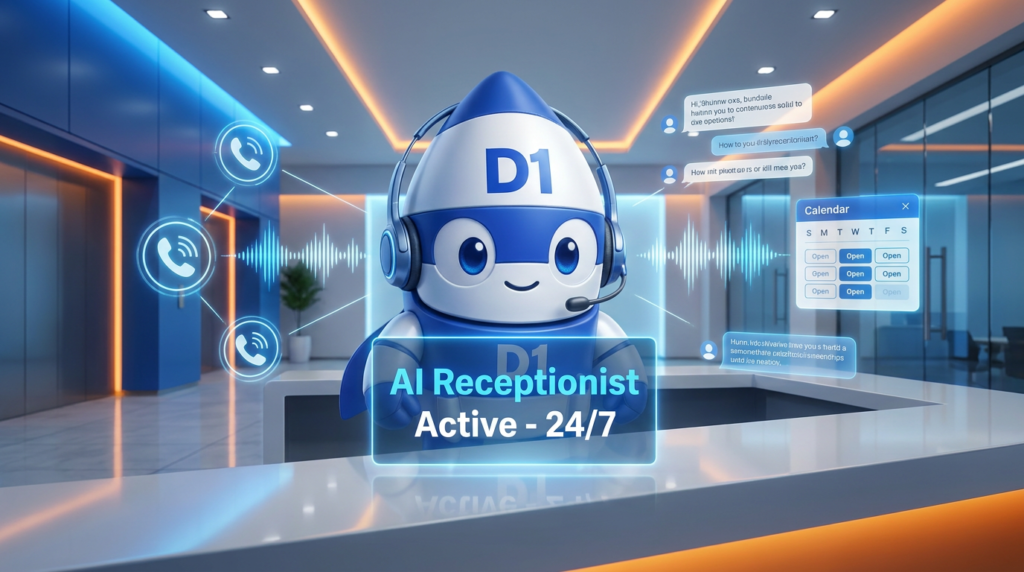
This is the problem an AI receptionist solves. Not a generic chatbot, not a $0.99/minute answering service, not a voicemail menu — a conversational AI that picks up every call, understands what the caller wants, books the appointment, and either resolves the request or hands it off to a human with full context. In 2026, the technology is good enough that most callers don’t know they’re talking to AI. And it costs about 5% of a human receptionist.
This is the practical guide. What an AI receptionist actually does, how it compares to alternatives, how to evaluate one for your business, and what it’ll realistically cost.
What an AI Receptionist Actually Does (And Doesn’t)
The phrase has been over-used by every voicemail-menu vendor on the planet. Cut through the noise. A real AI receptionist in 2026:
- Answers every inbound call 24/7 within 1–2 rings, in a natural-sounding voice
- Greets the caller with your business name and a tailored opener
- Understands free-form speech — not just touch-tone or “Press 1 for sales”
- Asks qualifying questions (what service, when needed, location, decision-maker, etc.)
- Books appointments directly into your calendar
- Looks up customer info if it’s an existing client (CRM integration)
- Captures and emails details of the call to your team
- Routes urgent calls to a human in real-time if needed
- Sends a follow-up SMS with a confirmation, link, or next step
A real AI receptionist does NOT:
- Sound robotic or noticeably AI
- Force the caller through a menu
- Fail when the caller goes off-script
- Lose context mid-call
- Require the caller to repeat information
If a “solution” you’re evaluating fails any of those, it’s a 2018 IVR with a chatbot front-end — not a 2026 AI receptionist.
AI Receptionist vs. Human vs. Answering Service vs. Voicemail
The honest comparison, because every option has a place:
Voicemail
- Cost: Free
- Coverage: 100% (it always answers)
- Conversion: Catastrophic. 60–80% of callers won’t leave a message.
- When it makes sense: It doesn’t, for any business that depends on inbound calls.
Human Receptionist (In-House)
- Cost: $35,000–$65,000/year for one person, $90,000–$160,000/year for full coverage
- Coverage: Business hours, with gaps for sick days, lunch, and PTO
- Conversion: High, when they’re available
- When it makes sense: Multi-location offices, high-touch sales, complex intake. Often paired with AI for after-hours.
Answering Service (Outsourced)
- Cost: $1.50–$3.00 per call answered, or $300–$1,500/month flat
- Coverage: 24/7 in most cases
- Conversion: Mixed. Agents are usually script-followers without real product knowledge.
- When it makes sense: Backup for after-hours; when message-taking is acceptable.
AI Receptionist (Modern, 2026)
- Cost: $99–$500/month for off-the-shelf; $200–$800/month for custom-built
- Coverage: 24/7/365, no breaks, no vacation
- Conversion: Higher than answering services, comparable to a trained human, sometimes better than untrained humans
- When it makes sense: Almost every service business with 50+ inbound calls per month.
For most small-to-mid service businesses, the right answer in 2026 is AI receptionist as primary + human escalation for complex cases. That’s the stack we build for clients at D1TechCreative.
The Calls Where AI Receptionists Win — And Where They Don’t
AI receptionists handle these incredibly well:
- Appointment booking (“I’d like to book a roofing inspection”)
- Service status questions (“When is my appointment tomorrow?”)
- Pricing and FAQ (“What does a basic move cost?”)
- Qualifying calls (“Is this for a residential or commercial property?”)
- Lead capture (“Can I get someone to call me back about solar?”)
- After-hours emergencies (“My pipe burst — when can someone come?”)
They struggle (or shouldn’t try) with:
- Highly emotional calls — grief, anger, mental-health distress. Always route to a human.
- Complex legal or financial advice — out of scope. Take a message, route.
- Confidential / regulated info — HIPAA, financial account changes, etc. Verify and route.
- Anything where being “talked to by a robot” feels disrespectful — bereavement services, certain medical contexts.
The art is configuring the AI to detect these cases and route them human-first, fast.
What Makes a Modern AI Receptionist “Good”
Five features separate the real ones from the hype:
1. Conversational, Not Scripted
The AI should handle a caller saying “I need someone to come fix my AC, but I’m not sure when I’ll be home — maybe tomorrow afternoon, or Thursday morning?” without falling apart. Old IVRs would say “I didn’t understand that — please press 1.” Modern AI handles it.
2. Native Calendar Integration
Booking should be a one-step conversation, not “let me transfer you to scheduling.” Direct read/write into Google Calendar, Calendly, Acuity, or your CRM’s built-in scheduler.
3. Real CRM Connectivity
The AI should pull up the caller’s record on a recognized phone number, greet them by name, and have their service history in context. New callers get added automatically.
4. Customizable Voice and Brand
The voice should match your brand (calm and professional for legal; warm and friendly for medical; high-energy for home services). The opening line should be exactly what you’d say.
5. Graceful Human Handoff
When the AI hits its limit, it should transfer smoothly — saying something like “Let me get one of our team members on the line for that,” then connecting the live call without making the caller repeat anything.
What an AI Receptionist Costs in 2026
Honest pricing:
- Off-the-shelf consumer tools (Phonely, RingCentral AI Receptionist, Synthflow): $99–$300/month. Limited customization. Fine for 1-person operations.
- Mid-market AI receptionist platforms (Air.ai, Bland AI, custom GoHighLevel builds): $300–$800/month. More customization, basic CRM integration.
- Custom-built AI receptionist + CRM stack: $1,500–$3,500 setup + $400–$1,000/month operating. Branded voice, full CRM connectivity, multiple workflows, after-hours plus business-hours coverage.
For most service businesses spending more than $2,000/month on lead generation, the custom AI receptionist tier pays for itself in 30–60 days just from recovered missed calls.
What Goes Wrong (Common Pitfalls)
After many of these installs, the recurring failure modes:
- Treating it as set-and-forget. The first 30 days require tuning based on actual conversations. Listen to the AI’s calls weekly for the first month.
- Trying to make the AI handle EVERY conversation. Aggressive sales calls and complex legal questions should route to a human early.
- Picking voice quality based on cost. A cheap robotic voice undoes all the conversational AI work. The voice IS the brand.
- Not connecting it to the CRM. An AI that can’t see the customer’s history sounds dumb. CRM connectivity is non-negotiable.
- Skipping the SMS follow-up. Every call should generate an SMS confirmation or summary. Costs almost nothing, dramatically improves perceived service quality.
How to Deploy an AI Receptionist in 14 Days
Days 1–3:
– Pick the platform that matches your size and CRM stack
– Map out the 8–12 most common call types you receive
– Pick the voice persona
Days 4–7:
– Build the conversation flows for each call type
– Wire up calendar integration
– Wire up CRM integration
– Decide which call types route to human and when
Days 8–10:
– Soft-launch on after-hours only (lowest risk window)
– Listen to every call recording, tune the AI’s responses
– Test escalation flows
Days 11–14:
– Roll out to business hours as primary line, with human backup
– Continue tuning based on conversation transcripts
– Set up weekly review of AI vs. human escalation rates
By day 14, the AI should be handling 70–85% of inbound calls successfully, with the rest escalating to your team.
The 12-Month Outlook for AI Receptionists
Three trends are accelerating:
- Voice quality is approaching indistinguishability from human. By late 2026, most callers will not be able to tell on a standard 2-minute conversation.
- CRM-native AI agents are replacing standalone tools. The AI receptionist will increasingly be just one channel for an AI that also handles SMS, email, and chat with shared context.
- Outbound is improving fast. Inbound is mostly solved. Compliant outbound (appointment confirmations, follow-ups, reactivation) is where the next wave of value comes from.
For small businesses that haven’t deployed yet: the technology is past the “wait and see” phase. The cost of missed calls today exceeds the cost of an AI receptionist by an embarrassing margin.
Frequently Asked Questions
Will my customers know they’re talking to an AI?
In 2026, modern AI voices are near-indistinguishable from human on short conversations. We recommend transparency anyway — leading with “Hi, this is the AI assistant for [Business Name]” — and most callers appreciate the honesty. Conversion rates don’t drop when you’re transparent.
How much does an AI receptionist cost?
Entry-level tools run $99–$300/month. Mid-market platforms are $300–$800/month. Custom-built with full CRM and calendar integration is $1,500–$3,500 setup plus $400–$1,000/month operating cost. The ROI math is almost always favorable for any business taking more than 30 inbound calls per month.
Can an AI receptionist book appointments?
Yes — that’s one of its core use cases. When properly integrated with Google Calendar, Calendly, Acuity, or your CRM, the AI checks availability, proposes slots, confirms with the caller, and writes the booking — all within the same call.
What if the AI doesn’t understand a caller?
Well-built AI receptionists have a graceful escalation flow — they’ll either rephrase the question, ask for clarification, or transfer to a human if the conversation is going sideways. The goal is never to leave the caller frustrated.
Will an AI receptionist replace my human team?
No. It replaces the delay between a caller dialing and reaching a human, and it covers the time when no human is available. Your team still handles the high-value conversations, the closing, the complex requests. AI takes the volume of routine calls off their plate.
How fast can I get an AI receptionist live?
Off-the-shelf tools can be live in a day. Custom-built integrations with CRM and calendar take 7–14 days. We usually ship in 10 days for custom builds.
Is an AI receptionist secure for HIPAA / financial / regulated industries?
It can be, with proper architecture. The platforms vary widely on HIPAA, PCI, and SOC 2 compliance. Verify before deploying in regulated industries — and always route sensitive verification or account changes to a human-verified workflow.
Want an AI Receptionist Built for Your Business?
We build custom AI receptionist + voice agent stacks for service businesses across the U.S. — moving, solar, insurance, real estate, home services, professional services. Fully branded, CRM-connected, calendar-integrated, and tuned to your call patterns. Book a free strategy call and we’ll map out exactly what a build would look like for your business.
Book your free strategy call →
Or call us directly: (888) 330-1434.
D1TechCreative builds AI voice agents, AI receptionists, CRM systems, and automation for service businesses across the United States. Based in Fort Lauderdale, FL.