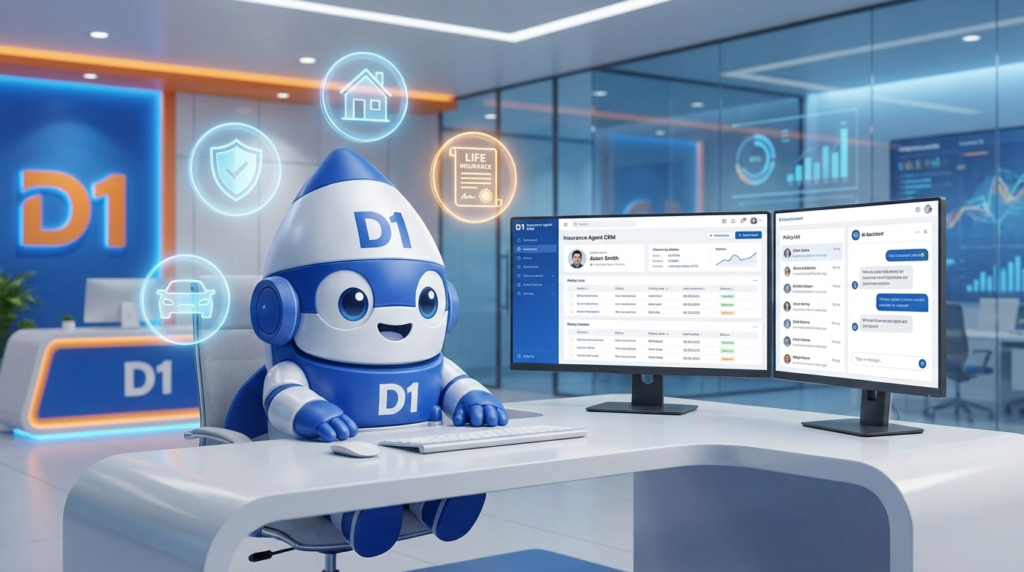
If you’re an insurance agent and you’re still running your book out of a spreadsheet, a notebook, and a Google Calendar, you’re operating with a 2015 toolkit in a 2026 market. The agents writing the most premium in 2026 aren’t necessarily the best salespeople — they’re the ones whose CRM is doing the follow-up, the renewal nudging, and the cross-sell prompting while they’re on a quote call.
This is a practical guide to picking and using a CRM for insurance agents in 2026. Not a 47-vendor comparison sheet — those are useless. Instead: what the CRM should actually do for an agent’s daily workflow, what to look for, what to ignore, and how the agents and agencies winning the market are using AI on top of it.
What an Insurance CRM Actually Has to Do
The job of an insurance CRM isn’t to be a fancier contact list. It’s to do five things consistently, every day, for every prospect and customer:
- Capture every lead source in one inbox — web form, call, walk-in, referral, social DM
- Auto-respond in under 60 seconds — most prospects shop multiple agencies; the first to engage wins disproportionate share
- Track every policy, every renewal, every gap — so nothing falls through the cracks
- Trigger automated touchpoints at renewal time, birthday, anniversary, and key life events
- Identify cross-sell and upsell opportunities automatically — customers with auto but no home, customers approaching life-stage triggers
If your current CRM can’t do all five, you’re operating with a tool that was designed for sales — not for the relationship-and-renewal economics that drive insurance.
What Modern AI Adds to the Equation in 2026
The “CRM with AI features” category has matured. The features that actually move the needle for agents:
AI Lead Qualification
The prospect fills out a form. The CRM doesn’t just notify you — it sends an SMS or AI voice call within 30 seconds, asks 3-5 qualifying questions, scores the lead, and routes them to you only if they’re a fit.
You stop chasing tire-kickers. The leads that hit your phone are pre-qualified.
AI-Generated Follow-Up Messages
The CRM drafts a personalized follow-up email based on the prospect’s stated needs, their policy types of interest, and your agency’s voice. You review, edit if needed, send. What used to be a 15-minute task is a 30-second one.
Conversation Summarization
Every call your AI voice agent handles gets summarized into a 3-sentence brief in the CRM contact record. You walk into a call already briefed without listening to 15-minute recordings.
Renewal Prediction
The CRM flags customers at risk of non-renewal based on engagement patterns (no contact in 9 months, opened no emails, etc.). You get a weekly list of “save these renewals” before the cancellation notice goes out.
Cross-Sell Triggers
A customer just updated their address in the CRM (moved to a new home). The CRM automatically triggers a home insurance quote workflow. Customer gets a tasteful “want us to quote your new home?” SMS within 24 hours.
These aren’t future features. They’re table stakes in 2026.
The Five Workflows Every Insurance Agent Should Have Automated
Don’t try to automate everything at once. Build these five first:
1. Instant Form-Fill Response
Lead fills the form → SMS goes out in <30 seconds asking the next qualifying question + offering a quote call. Contact rate jumps 40-80% versus same-day-but-slower responses.
2. Missed-Call Text-Back
Call goes unanswered → SMS fires automatically: “Sorry I missed your call — this is [Agent]. What can I help you with?” Recovers 25-40% of missed calls. Free leads.
3. Renewal Reminder Sequence
90/60/30/14/7 days before renewal: automated touchpoints to the customer (email + SMS) reminding them, offering review of coverage, suggesting any cross-sells. Renewal retention climbs 5-10 points.
4. Birthday + Anniversary Touchpoints
Customer’s birthday or policy anniversary triggers a personal SMS or card. Sounds cheesy. Drives measurable referrals and retention. Low-effort, high-trust gesture.
5. Long-Term Nurture for Quoted-But-Didn’t-Bind Prospects
A prospect got a quote and didn’t bind. Most agents move on. The winning agents drop them into a 90-day nurture: useful content, occasional check-ins, retargeting ads. 10-20% of “lost” quotes convert eventually.
These five together typically lift an agent’s premium written per year by 15-30% without any change in lead volume.
What to Look For When Picking a CRM (Honest Criteria)
The vendor landscape is chaotic. Cut through it with these criteria:
1. SMS + email + voice in one tool. If you’re stitching together three platforms, integration friction will eat the value of any “best of breed” pick within 6 months. We see this every time.
2. Native carrier integrations. Can it connect to your management system (AMS360, EZLynx, Applied Epic, HawkSoft)? Or are you re-keying data? Re-keying kills adoption.
3. Built-in workflow automation. Not “Zapier-compatible” — that breaks. Native workflow engine that handles multi-step, branching logic with time delays.
4. AI that actually works in your context. Demo it on a real insurance scenario. If the AI suggests selling a renter’s policy to someone who already has homeowners, walk away.
5. Pricing that scales with your book. Per-user pricing is fine. Per-contact pricing is a trap — your book will hit 5,000 contacts faster than you think and the bill triples.
The D1TechCreative CRM is specifically built around all five criteria — and combined with our AI Voice & SMS Bots for the 24/7 inbound layer most insurance agencies need.
How Top Agencies Are Using Their CRM Differently in 2026
Three patterns we see in agencies writing $3M+ in premium:
1. The CRM Is the Single Source of Truth
Quote requests, calls, emails, texts, policy details, renewal dates — everything lives in one place. The agent doesn’t switch between five tools to handle a customer.
2. AI Handles First Contact, Humans Handle Closing
The AI voice agent takes the inbound call. Qualifies the prospect. Books a 15-minute “specialist” call (with the agent). The agent walks in already briefed and only handles closing-grade conversations. Result: same agent writes 2-3x the premium with the same hours.
3. The CRM Drives Daily Activity
Every morning, the agent opens the CRM dashboard. Today’s renewals due, today’s quoted-not-bound follow-ups, today’s birthdays, today’s cross-sell triggers. The CRM tells the agent what to do — the agent doesn’t decide.
This is the difference between an agent reactively shuffling paper and an agent running a system.
What This Costs (Honest Numbers)
Insurance CRM pricing in 2026:
- Basic CRM-only tools: $30-$80/user/month. Underpowered for serious agencies.
- Insurance-specific CRMs with workflow + integrations: $100-$250/user/month. The bulk of the market.
- Full-stack CRM + AI voice + SMS + automation: $400-$1,000/user/month. The setup serious agencies are running.
- Custom builds for large agencies: $5,000-$25,000 setup + $1,500-$5,000/month operating cost.
If the math is intimidating, consider: a single retained renewal at $1,800 in commission pays for the full year of even the high-end stack. Most agencies who upgrade see ROI within 60-90 days.
Common CRM Mistakes Insurance Agents Make
Mistake 1: Picking based on price alone. The $30/month CRM that doesn’t integrate with your AMS will cost you 5 hours/week in re-keying. Math accordingly.
Mistake 2: Buying a CRM but not configuring the workflows. Untouched, a CRM is just an expensive contact list. The value is in the automated workflows — build them in week one.
Mistake 3: Treating it as a tool for the agent. Modern CRMs work best when the whole agency (admin, CSR, agent) lives in them. Single-user adoption is a recipe for inconsistency.
Mistake 4: Skipping the AI voice layer. 30-40% of insurance leads call instead of click. If your CRM doesn’t have an AI voice agent answering 24/7, you’re losing those leads on evenings and weekends.
Mistake 5: Switching CRMs every 18 months. Data migrations are brutal. Pick well the first time, even if it takes a month longer to decide.
The 30-Day Migration Plan
If you’re moving to a new CRM or building one from scratch:
Week 1:
– Audit current data sources (AMS, spreadsheets, notes, prior CRM)
– Pick the new CRM with all five criteria above met
– Set up the integrations (AMS, email, calendar, SMS, voice)
Week 2:
– Migrate contact data
– Build the five core automated workflows (form-fill response, missed-call text-back, renewal reminders, birthday/anniversary, long-term nurture)
– Configure dashboards for daily activity
Week 3:
– Train the team (admin, CSR, agents)
– Test every workflow with real scenarios
– Set up the AI voice + SMS layer for inbound
Week 4:
– Cut over fully
– Measure: response time, contact rate, renewal retention, cross-sell rate
– Tune the workflows based on real data
By day 30, the CRM is running your operations — not the other way around.
Frequently Asked Questions
What’s the best CRM for insurance agents in 2026?
The best CRM is the one with full SMS + email + voice in one tool, native integration to your management system, built-in workflow automation, working AI for follow-up and qualification, and per-user (not per-contact) pricing. The D1TechCreative CRM is built specifically around these criteria.
Does an insurance agent really need AI in their CRM?
In 2026, yes. AI is doing the work that was previously taking 10-15 hours/week — instant form responses, voice agent qualification, draft email writing, renewal prediction. Agencies without AI are operating at half the capacity of agencies with it.
How much should I budget for an insurance CRM?
For a solo agent, $200-$500/month covers a serious CRM + AI voice + automation stack. For an agency with 3-10 producers, $1,500-$5,000/month for the full stack. The math is forgiving once a single retained renewal or cross-sell covers the cost.
Can I connect my CRM to my agency management system?
The right CRMs offer native integrations with the major AMS platforms (AMS360, EZLynx, Applied Epic, HawkSoft). If your CRM doesn’t, re-keying data daily becomes a major drain — switch or rebuild.
How long until a new CRM produces measurable results?
Instant — for the workflows you turn on. Missed-call text-back and instant form-fill response produce measurable lift in week one. Renewal retention improvements compound over the next 12 months as more renewal cycles run through the new system.
Will switching CRMs lose my data?
A properly executed migration loses nothing. Most migrations take 1-2 weeks. The temporary pain is worth it — agencies running modern CRMs are writing 30-50% more premium per producer than those still on legacy tools.
Want a CRM Built for Insurance Agents?
We build full-stack CRM, AI voice, SMS, and automation systems for insurance agencies across the U.S. — auto, home, life, commercial, health. Book a free strategy call and we’ll map out what a build would look like for your book.
Book your free strategy call →
Or call us directly: (888) 330-1434.
D1TechCreative builds CRM, AI voice, lead generation, and automation systems for insurance agents and agencies across the United States. Based in Fort Lauderdale, FL.