
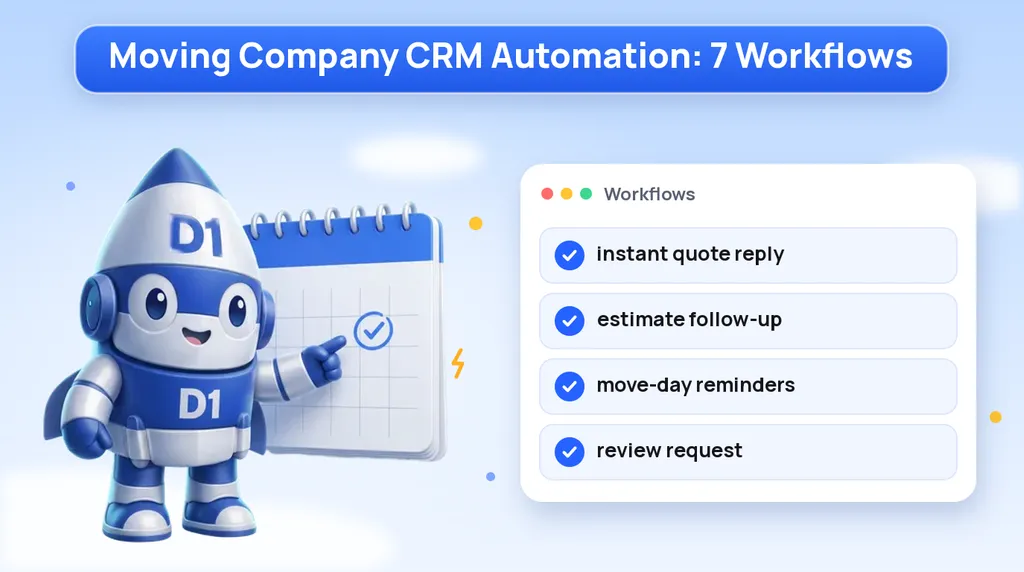
Picking a CRM is the easy part. The hard part is deciding what it should actually do when a quote request comes in at 9 p.m., when an estimate sits unanswered for three days, or when a move finishes and nobody remembers to ask for a review. Most moving companies buy a CRM, import their contacts and then run it like a fancy address book.
This post is for owners and office managers who already have a CRM, or are choosing one, and want it to book more jobs. It covers seven workflows to build in whichever system you use: what triggers each one, what messages go out, and what problem it fixes. If you are still comparing systems, start with our roundup of the best CRM for moving companies, then come back here for the setup.
Why Moving Companies Need Workflows, Not Just a CRM
Moving leads have a short shelf life. Someone planning a move usually requests quotes from several companies at once, often from a phone, often in the evening. Whoever replies first and follows up best tends to get the walkthrough, and whoever gets the walkthrough has the best shot at the job.
The trouble is that your team is busy doing the work. Estimators are in homes, dispatch is juggling crews, and the office is answering the phones that are ringing right now. The follow-up that wins jobs is exactly the work that slips. Workflows fix that by making the routine messages happen on their own, so your people spend their time on the conversations that need a human.
A good rule: automate anything that should happen the same way every time, and route anything that needs judgment to a person with a task and a deadline.
Workflow 1: Instant Reply to a Quote Request
Trigger: a quote form is submitted on your website, a landing page or a lead source you pay for.
What goes out:
- A text within a minute: "Hi [first name], this is [name] at [company]. Got your request for a move from [origin] to [destination] on [date]. What's the best time for a quick call to go over your quote?"
- An email with the same details, your phone number and a link to book a call or a virtual walkthrough.
- An alert to your sales team with the lead's details and a task to call within minutes.
What it fixes: the gap between "I submitted a form" and "someone called me." That gap is when the customer fills out the next company's form. When we built the follow-up layer for A Plus Moving, the case study describes it this way: "every inbound lead gets a real conversation in under 60 seconds." Our A Plus Moving case study walks through how that connects to the website and the paid ads.
Make the form ask for the details the reply needs: origin, destination, move date and home size. Our moving company website design builds the quote form around those fields so the first message can be specific instead of generic.
Workflow 2: Missed-Call Text Back
Trigger: an inbound call to your business line goes unanswered.
What goes out: a text within seconds: "Sorry we missed your call, this is [company]. Are you looking for a moving quote? Reply with your move date and where you're moving from and to, and we'll call you right back." The CRM also creates a call-back task for the office.
What it fixes: missed calls during the busy season, at lunch, after hours and on weekends. A caller who gets voicemail usually dials the next mover on the list. A caller who gets a text back often replies, and now you have a conversation instead of a lost lead. We cover the setup and message options in detail in our guide to missed-call text back for moving companies.
Workflow 3: Estimate Follow-Up Sequence
Trigger: an estimate is sent and the lead's stage moves to "Estimate Sent."
What goes out: a short sequence that stops the moment the customer replies, books or says no:
| When | Channel | Message idea |
|---|---|---|
| Same day | The estimate, what is included, and how to book | |
| Next day | Text | "Did you get a chance to look at your estimate? Happy to answer any questions." |
| Two to three days later | Call task | A person calls to check on questions, dates and other quotes |
| About a week later | Text | A reminder that dates fill up, with a link to lock in the move |
| Two weeks later | "Are you still planning your move?" with a simple yes or no reply |
What it fixes: estimates that go out and are never mentioned again. Many customers aren't saying no, they are busy, comparing, or waiting on a closing date. A steady, polite sequence keeps you in the conversation without your sales team having to remember every open estimate. Adjust the timing to how far out the move is: a move next week needs a tighter sequence than one in three months.
Workflow 4: Deposit and Booking Confirmation
Trigger: the customer accepts the estimate or pays a deposit, and the lead moves to "Booked."
What goes out:
- A confirmation email with the move date, arrival window, addresses, services booked and what the deposit covers, using your own policy wording.
- A text: "You're booked! Your move is confirmed for [date]. We'll send reminders as it gets closer. Save this number for any questions."
- Internal tasks: add the job to the dispatch calendar, assign a crew and note any special items.
What it fixes: confusion after the sale. When the customer has everything in writing, you get fewer "just checking we're still on" calls, and the handoff from sales to operations stops depending on someone remembering to update the schedule. If you take deposits online, link the payment straight from the estimate so the booking and the deposit happen in one step.
Workflow 5: Move-Day Reminders and Crew Notes
Trigger: the move date on a booked job is approaching.
What goes out to the customer:
- About a week before: a packing checklist and a reminder to confirm parking, elevator bookings or building rules.
- Two days before: a confirmation of the date and arrival window, with a request to reply if anything has changed.
- Move morning: "Your crew is on the way," with the crew lead's name.
What goes out to the crew: the job sheet with addresses, access notes, inventory, special items like a piano or safe, and the customer's phone number. Put those notes in the CRM record when sales takes them, so they reach the crew without a chain of phone calls.
What it fixes: no-shows, surprise stairs, missing elevator reservations and the move-day phone tag that eats the first hour of a job. Customers feel looked after, and crews arrive knowing what they are walking into.
Workflow 6: Review Request After the Move
Trigger: the job is marked "Completed."
What goes out: a text a few hours after the move, once the customer has had time to sit down: "Thanks for moving with [company], [first name]. If the crew did a good job, would you leave us a quick review? [link]." If there is no response, send one reminder a few days later, then stop.
What it fixes: the gap between how many happy customers you have and how many reviews you have. Most satisfied customers will leave a review if you ask at the right time with a direct link. Reviews feed your Google Business Profile and give future customers a reason to trust you over the mover with fewer stars.
Ask every customer the same way. Don't offer anything in exchange for reviews, and don't try to filter unhappy customers away from your review page. If someone replies with a complaint, route it to a manager as a task right away.
Workflow 7: Referral and Repeat-Customer Touch
Trigger: set time periods after a completed move, for example one month and one year later.
What goes out:
- One month after: a short check-in asking how they are settling in, with a line asking them to pass your name to friends or coworkers who are moving.
- One year after: a "happy moving anniversary" message with your number saved for next time, plus any storage or packing services you offer.
- For commercial clients or real estate agents who sent you work: a periodic personal note from the owner or sales lead, not an automated blast.
What it fixes: the fact that most moving companies never contact a past customer again. Past customers move again, and they know people who are moving. A light touch keeps your name in front of them at almost no cost. Make sure your texting follows consent rules: only text people who gave you their number for that purpose, and honor every opt-out.
How to Roll These Out
You don't need all seven on day one. Build them in this order, test each one with your own phone number, and only move to the next when the last one is working:
- Set up clear pipeline stages: New Lead, Contacted, Estimate Sent, Booked, Completed, Lost.
- Connect every lead source (website form, phone line, paid lead sources) so leads land in the CRM automatically.
- Turn on the instant quote reply and the missed-call text back. These two protect the leads you already pay for.
- Build the estimate follow-up sequence and make sure it stops when the customer replies.
- Add booking confirmation and move-day reminders, with crew notes on every job.
- Add the review request after the move, then the referral and repeat-customer touches.
- Review the pipeline once a week: which stage do leads stall in, and which messages get replies?
Our D1TechCreative CRM includes these workflows and connects them to your website, phone line and lead sources. We have built websites and lead systems for movers including A Plus Moving, The Nationwide Movers and Safebound Moving.
Want These Workflows Built Into Your CRM?
We set up quote replies, missed-call text back, estimate follow-up, move-day reminders and review requests for moving companies, connected to your website and phone line. Book a call and we will map out which workflows to build first.
Or call us directly: (888) 330-1434.
D1TechCreative builds websites, paid traffic, CRM and AI automation systems for service businesses and real estate investors across the United States. Based in Fort Lauderdale, FL.