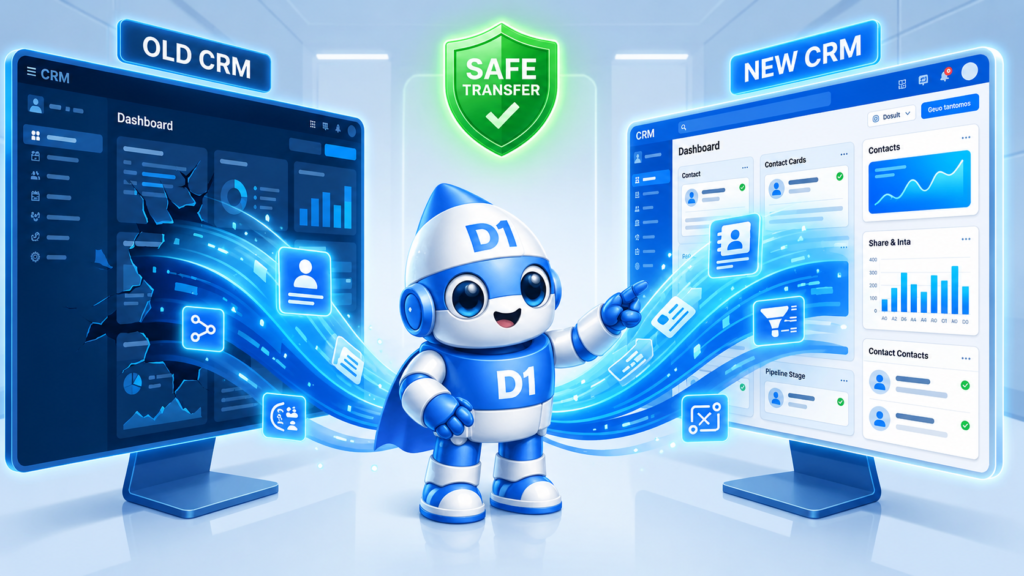
Most CRM migrations are botched. Not because the new system is bad — usually because the migration was treated as an IT task instead of a sales-operations project. Leads vanish into “imported” tags that nobody monitors. Automated sequences double-fire because the old system kept running in parallel. Sales reps lose two weeks of productivity learning the new interface. By month three, the leadership team is quietly wondering if switching was even worth it.
It almost always is worth it — if done right. This is the playbook for doing it right in 2026: when to migrate, what to actually move, what to leave behind, and how to do it without breaking your existing pipeline.
When You Actually Need to Migrate Your CRM
Most teams switch CRMs too late, not too early. The honest signals it’s time:
- Your CRM costs more than $10/user/month but you’re using less than 30% of its features
- Your team is “working around” the CRM in spreadsheets, sticky notes, or personal email
- Your CRM doesn’t connect to your AI voice/SMS layer without a custom Zapier mess
- Your CRM doesn’t track lead source attribution end-to-end
- You’re paying for a sales-focused CRM but actually need marketing automation, or vice versa
- You’re outgrowing the user limit and adding seats has become punishingly expensive
- You can’t trust the data because too many fields are inconsistent or duplicated
If three or more of these apply, the cost of staying is higher than the cost of migrating. The math is rarely close.
Pick the Right Target First — Then Plan the Migration
Migration starts with knowing where you’re going. The CRM landscape for service businesses in 2026:
HubSpot
- Strengths: Best-in-class marketing automation, strong integrations, free starter tier
- Weaknesses: Quickly expensive at scale, oriented toward inbound marketing teams
- Best fit: Marketing-led service businesses with $5K+/month marketing spend
Salesforce
- Strengths: Most powerful, most customizable, deepest reporting
- Weaknesses: Most expensive, requires admin expertise, overkill for small teams
- Best fit: Service businesses with 20+ sales reps or complex multi-team workflows
GoHighLevel (GHL)
- Strengths: All-in-one (CRM + funnels + email + SMS + voice + booking), agency-friendly, white-labelable
- Weaknesses: Steep learning curve, the all-in-one comes with all-in-one bugs
- Best fit: Agencies and service businesses that want CRM + marketing + voice/SMS in one stack
Pipedrive
- Strengths: Simple visual pipeline, low learning curve, fair pricing
- Weaknesses: Limited marketing automation, weaker reporting at scale
- Best fit: Sales-led teams that want a clean pipeline view without complexity
D1TechCreative Custom CRM
- Strengths: Built around your exact workflow, owned and not licensed, full data ownership, integrated AI voice + SMS, branded for your business
- Weaknesses: Higher upfront cost than off-the-shelf SaaS
- Best fit: Service businesses that want their CRM to be a competitive moat, not a generic SaaS subscription
That last option is what we build at D1TechCreative — and it’s the right call when your team is past the point where off-the-shelf templates fit your actual sales flow.
The Pre-Migration Audit (Do This First)
Skip this step and your migration will hurt. Spend 3–5 days on it before touching any data.
Map every entry point a lead currently touches:
– Forms on the website
– Phone calls (inbound + outbound)
– SMS conversations
– Live chat / chatbot
– Email replies
– Social DMs
– Manual entry by sales reps
– Imported lists
Map every automation currently running:
– Email sequences (welcome, nurture, re-engagement)
– SMS sequences
– Internal notifications (rep gets pinged when X happens)
– Status changes (auto-tag based on action)
– Pipeline movement rules
Inventory custom fields:
– Which fields are actually being used?
– Which are mandatory? Which are nice-to-have?
– Which are stale and should be retired?
Inventory integrations:
– Calendar (Google, Outlook, Calendly)
– Phone system (Twilio, RingCentral, Aircall)
– Marketing tools (Facebook ads, Google ads, email)
– Booking / scheduling tools
– Accounting / invoicing
This audit is the blueprint. Migration without it means importing chaos into a new system and calling it progress.
What to Migrate vs. What to Leave Behind
The instinct is to migrate everything. Don’t.
Migrate:
– Active contacts (in pipeline or recently active customers)
– All customer records with transaction history
– Open opportunities / deals
– Recent email and SMS conversation history (last 12 months)
– Active automation sequences (rebuild, don’t import)
Archive (don’t migrate):
– Cold contacts that haven’t responded in 18+ months
– Closed-lost opportunities older than 12 months
– Duplicate records (deduplicate before migration, not after)
– Historical email logs older than 12 months
– Custom fields nobody fills in
The new CRM should start clean. Drag your data junkyard with you and you’ll be living in it for years.
The Migration Plan: Seven Phases
Phase 1: Parallel Setup (Week 1)
Don’t shut down the old CRM yet. Set up the new one in parallel:
- Create all custom fields (only the ones from the audit)
- Build pipeline stages and labels
- Set up user roles and permissions
- Connect calendar and phone integrations
- Build the first set of automations
Phase 2: Data Migration (Week 2)
Export from the old system → clean → import to new:
- Export all contacts to CSV
- Deduplicate (use OpenRefine or a similar tool)
- Map fields old → new (this is where most teams cut corners and pay later)
- Import contacts in batches of 1,000 to catch errors fast
- Verify a 20-record sample matched perfectly before importing the rest
Phase 3: Automation Rebuild (Week 2–3)
Do NOT export automations from the old system. Rebuild them fresh:
- Start with the most-used automation (usually the lead-intake sequence)
- Test with internal team members submitting fake leads
- Move to the next automation
- Track which old automations have been replaced
Phase 4: Integration Testing (Week 3)
Test every connected system end-to-end:
- Submit a lead from the website → confirm it lands in new CRM
- Trigger a Google Ad → confirm attribution
- Book a calendar appointment from inside the CRM → confirm it syncs
- Send a Twilio SMS → confirm it logs to the contact record
Phase 5: Soft Cutover (Week 4)
Run both systems in parallel for one week:
- New leads only go to the new CRM
- Existing pipeline stays in the old one until closed
- Sales reps learn the new system on new leads only
- Monitor every workflow for breakage
Phase 6: Full Cutover (Week 5)
- All pipeline activity moves to the new CRM
- Old CRM becomes read-only archive
- All automations turned off in old system
- Reporting and dashboards switched to new CRM
Phase 7: 30-Day Optimization (Weeks 6–9)
- Weekly review of automation performance
- Tune sequences that aren’t converting
- Train team on advanced features
- Document the playbook so new hires can onboard fast
The Five Most Common Migration Mistakes
1. Importing everything. Migration is the once-in-five-years opportunity to clean house. Take it.
2. Skipping the dedupe step. A new CRM filled with duplicates is worse than the old one. Dedupe before import.
3. Running both systems for too long. Two weeks of parallel running is healthy. Eight weeks is chaos — leads will fall into one system and get ignored in the other.
4. Forgetting to update lead source UTMs. If your Google Ads URLs point to landing pages connected to the old CRM, attribution breaks. Update everything.
5. Not training the sales team before the cutover. Reps who learn the new system during live selling will be 30% less productive for a month. Train them in parallel mode before cutover.
The Cost of CRM Migration in 2026
Honest pricing:
- Self-managed migration on off-the-shelf platforms (HubSpot, Pipedrive): $0 software cost, 40–80 hours of internal time
- Agency-led migration to off-the-shelf: $3,000–$10,000 one-time
- Custom CRM build: $8,000–$25,000 setup + ongoing maintenance, includes migration
The “free” self-managed migrations are rarely free. The internal time cost plus the 30-day productivity hit plus the inevitable cleanup of mistakes usually totals more than just paying an agency. That said, simple migrations between similar systems are doable in-house.
How to Know the Migration Worked
90 days after cutover, the check:
- Lead-to-customer conversion rate is at least equal to pre-migration baseline (ideally higher)
- Sales rep CRM adoption is above 90% (measured by activity logged per rep)
- Speed-to-lead is faster than pre-migration (faster automations should drive this)
- Reporting confidence is higher (executives trust the dashboards)
- Cost per lead has dropped because attribution is more accurate
If three of these five are true at 90 days, the migration paid off. If fewer than three, something in the setup needs tuning.
Frequently Asked Questions
How long does a CRM migration take?
For small service businesses (under 1,000 active contacts), 2–4 weeks is realistic. For larger operations or custom builds, 6–12 weeks is more typical.
Can I migrate from GoHighLevel to a custom CRM?
Yes. GHL’s data export is reasonably clean. The bigger lift is rebuilding the funnels, automations, and SMS sequences in the new system — usually 3–4 weeks for a busy GHL account.
Will my Google Ads attribution break during migration?
Yes, if you don’t plan for it. Update all UTM parameters and conversion tracking before the cutover, not after.
What’s the biggest risk of CRM migration?
Losing leads in the gap. The pre-cutover audit prevents this. Without an audit, leads from social DMs, missed phone calls, or live chat often get lost because the team didn’t realize they were CRM-connected.
Can my team use the old and new CRM at the same time?
For one transition week, yes. Beyond that it creates more problems than it solves. Pick a hard cutover date.
How do I know if I need a custom CRM or an off-the-shelf one?
If your sales process is industry-specific and you’ve been forcing it into an off-the-shelf CRM with hacks and workarounds, custom is worth it. If your process is generic (lead → call → book → close), off-the-shelf will do.
Will migration disrupt my pipeline?
It will disrupt rep productivity for 2–4 weeks. With a good migration plan that productivity comes back stronger. With a bad plan it can take 2–3 months to recover.
Want Help Migrating Your CRM?
We’ve migrated dozens of service business CRMs — into HubSpot, GoHighLevel, Pipedrive, and our own custom-built D1TechCreative CRM. Book a free strategy call and we’ll audit your current setup and map out exactly what your migration would look like.
Book your free strategy call →
Or call us directly: (888) 330-1434.
D1TechCreative builds custom CRMs, AI voice agents, and full sales/marketing automation systems for service businesses across the United States. Based in Fort Lauderdale, FL.